
Last updated August 2026
A well-built RTI scheduler gets students into the right room at the right time. It doesn’t automatically get them to pay attention once they’re there. Plenty of schools have the logistics down — groups are placed correctly, attendance is tracked, and flex time runs on schedule — yet students still drift off ten minutes into a session. The scheduling problem and the focus problem are related, but they’re not the same thing, and treating the RTI process as finished once the schedule is built misses half of what actually determines student outcomes.
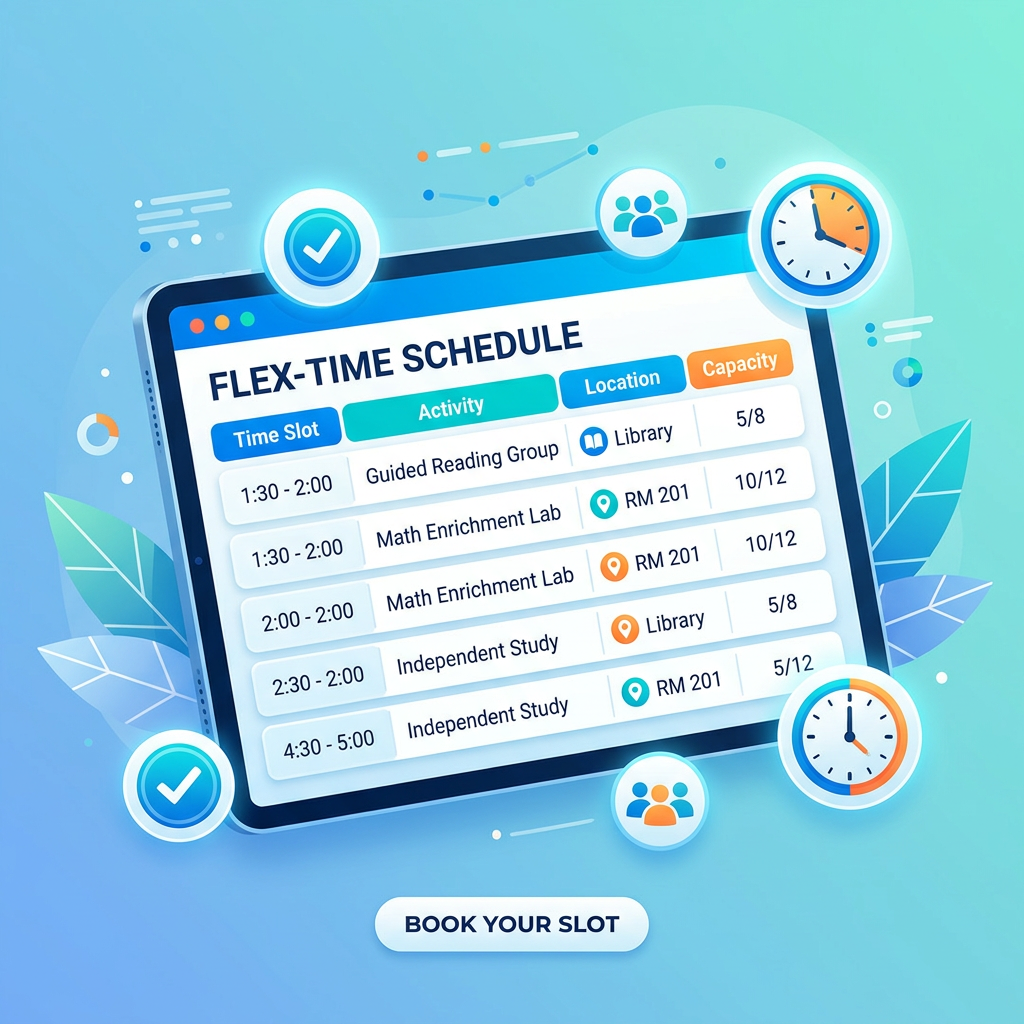
This article covers seven ways to use your RTI scheduler as a tool for keeping students engaged, not just accounted for. Some of these come down to how sessions are timed. Others come down to how groups are built and how staff use the data already sitting in the system. All seven are things you can start applying without changing platforms or adding new staff, and they’re especially useful in middle schools, where attention spans and interests vary widely from one student to the next.
1. Time Sessions Around Realistic Attention Spans, Not Convenient Blocks
Most flex period blocks get built around what fits the master schedule, not around how long students can actually stay focused. That mismatch is often the real reason sessions lose steam halfway through.
Build in a Reset Around the Halfway Point
Writing in Edutopia, researchers note that student engagement in elementary classrooms often drops once an activity runs past ten minutes, and that roughly a quarter of public schools have reported inattention having a serious negative impact on learning. A 25 or 30-minute flex time block that includes even a short shift in activity partway through holds attention far better than one long stretch of the same task.
Use Your Scheduler to Flag Long, Uninterrupted Blocks
If your RTI scheduler shows a single unbroken activity filling an entire session, that’s worth a second look. Breaking a 30-minute block into two shorter segments, even with the same content, tends to hold focus better than one continuous stretch — a small tweak that pays off whether the block is called WIN time, Power Hour, or simply flex period.
2. Keep Groups Small Enough That Nobody Can Coast
Group size affects focus more directly than most schools realize. In a group of twelve, a distracted student can disappear. In a group of five, they can’t. This matters most for Tier 2 and Tier 3 interventions, where the whole point is close, targeted attention.
Right-Size Groups Based on the Task, Not Just the Roster
A discussion-based activity can support a slightly larger group than a task requiring individual practice and feedback. Use your RTI scheduling software’s group settings to match size to activity type instead of defaulting to the same cap for every session.
Group Size and Focus at a Glance
| Group Size | Typical Focus Level | Best Suited For |
|---|---|---|
| 2 to 4 students | High, easy to monitor individually | Skill-specific practice, targeted feedback |
| 5 to 8 students | Moderate, manageable with routines | Guided discussion, project-based enrichment |
| 9 or more students | Lower, harder to catch disengagement early | Whole-group review, general announcements |
Note the table’s limit: open-ended enrichment work — the kind covered in section 6 — holds attention better in the 5-to-8 range than in a crowd of nine or more. Save the largest groups for content delivery, not independent or project work.
3. Build Short, Structured Breaks Into Longer Sessions
For sessions that run 30 minutes or more, a short break in the middle isn’t wasted time. It’s often what makes the second half of the session usable at all.
According to Understood.org, brief structured pauses that involve movement or a quick mental reset help students return to a task with better attention, and are especially useful for students who fatigue quickly or struggle with sustained focus. A two-minute stretch, a quick partner check-in, or even a change in seating can be enough to reset attention without derailing the session.
Schedule the Break, Don’t Leave It to Chance
Build the break into the session plan inside your RTI scheduler rather than leaving it up to whichever staff member happens to notice students losing focus. A planned 2-minute reset at the midpoint is far more consistent than an improvised one.
4. Rotate Activity Types Within a Single Flex Time Block
Doing the same type of task for a full 30-minute session, even with small groups, wears down attention. Alternating between formats keeps students more engaged than sticking with one approach the whole time.
Cognitive scientist Daniel Willingham, writing in the Spring 2026 issue of American Educator, reviewed the research on whether digital-device use has damaged kids’ ability to sustain attention and found the evidence for that thin. What the data point to instead is boredom: it functions as a signal that the current activity has less value than some available alternative, and students today are almost always sitting next to a phone that offers a more appealing one. Practically, that means the fix isn’t lecturing students to “focus harder” — it’s making sure the classroom activity doesn’t lose the comparison. A session that shifts between short direct instruction, a bit of discussion, and independent practice keeps the relative value of the task higher than one that runs the same format for 30 straight minutes.
A Simple Rotation Template
| Segment | Length | Activity Type |
|---|---|---|
| Warm-up | 3 to 5 minutes | Quick review or retrieval practice |
| Core activity | 12 to 15 minutes | Direct instruction or guided practice |
| Reset | 2 minutes | Movement or brief break |
| Application | 8 to 10 minutes | Independent or paired practice |
5. Use Attendance and Engagement Data to Catch Fading Focus Early
Attendance tracking tells you who showed up. It doesn’t automatically tell you who’s actually engaged once they’re in the room, but the two are more connected than most schools realize.
Watch for the Early Warning Signs
A student who attends consistently but whose participation notes keep coming back thin, if your RTI scheduler supports that kind of tracking, is often losing focus well before attendance itself drops. Catching that shift early gives staff a chance to adjust the group or the format before disengagement turns into absence.
Don’t Wait for a Full Cycle to Make Adjustments
If two or three sessions in a row show the same pattern, a quick group or format change is worth trying immediately rather than waiting for the next scheduled placement review.
6. Match Enrichment and Extra Help Formats to How Students Actually Focus
Students who are enrichment-ready and students who need extra help don’t always lose focus for the same reasons, and treating every session with the same format ignores that.
Enriching students who’ve already mastered core material often disengage from repetitive drills, while students who need extra help may lose focus when material moves too fast without enough repetition, a common pattern in Response to Intervention groups working below grade level. A schedule that applies the same pacing to both groups is working against itself.
Give Enrichment Groups Room to Move
Enrichment sessions built around open-ended problems or project work tend to hold focus better than sessions that simply repeat grade-level content at a faster pace. Faster isn’t the same as more engaging.
7. Involve Community Service and Service Learning for Naturally Higher Engagement
Not every focus problem gets solved by adjusting timing or group size. Sometimes the format itself is the issue, and community service or service learning blocks solve that in a way traditional seated academic support can’t.
Projects involving planning, measurement, or writing for a real purpose tend to hold attention longer than a worksheet covering the same skill, simply because there’s a visible outcome attached to the work. Scheduling these sessions with the same structure and attendance tracking as any other flex period block keeps them from feeling like a break from real learning, while still giving students a format that’s easier to stay focused in. Schools that treat service learning as a genuine part of the rotation, rather than an occasional filler activity, tend to see steadier engagement across the whole RTI scheduler rotation, not just during the service sessions themselves.
Frequently Asked Questions
Does a shorter flex time block automatically mean better focus? Not necessarily. What matters more than length is whether the session includes a shift in activity or a brief reset partway through. A well-structured 30-minute block often holds attention better than an unstructured 15-minute one.
How small should intervention groups be to maintain focus? Two to four students for skill-specific practice; five to eight works for discussion or project-based enrichment. Above that, plan on some students disengaging without anyone noticing right away.
Should enrichment groups and extra help groups follow the same schedule structure? They can share the same time block, but not the same pacing. Enrichment groups tend to stay focused longer with open-ended, project-style work; extra help groups usually need more repetition and a slower ramp.
Is it worth scheduling a break in the middle of a 30-minute session? Yes, particularly for students who fatigue quickly during sustained tasks. A two-minute planned reset built into the session plan beats an improvised one, since it happens consistently regardless of which staff member is running the room.
Final Thoughts
Getting students into the right group at the right time solves the logistics half of RTI. Keeping them focused once they’re there is a separate problem, and it’s one your RTI scheduler can help with if you use it for more than just attendance and placement. Time sessions around realistic attention spans, keep groups small enough that disengagement can’t hide, build in short resets, rotate activity types, and let attendance data flag fading focus before it turns into a bigger problem.
If your school is still setting up the basics — WIN time blocks, Tier 2 and Tier 3 groups, or a way to auto-enroll students into the right session — see how RTI Scheduler handles that logistics layer before layering in the focus strategies above.
If you’re still refining the basics of your schedule, RTI Scheduler Tips and Master RTI Scheduler are good starting points. And once the basics are running smoothly, Breakthrough Scheduler Tips covers the habits that keep the whole RTI process improving instead of plateauing.