
New tools rarely get adopted on day one, and an RTI scheduler is no exception. Between logging in for the first time, figuring out where flex time blocks live, and trying to remember which students belong in which group, it’s easy for staff to feel like they’re starting from zero. The good news is that most schools don’t actually need weeks to get comfortable. With the right order of operations, a school counselor or MTSS coordinator can go from confused to confident in about two weeks, whether your building runs a standalone RTI framework or a broader MTSS model.

This guide breaks down exactly how to master an RTI scheduler quickly, without getting overwhelmed by every feature at once. You’ll learn what to set up first, how to avoid the mistakes that slow most schools down, and what a realistic timeline looks like for getting your RTI process running smoothly.
Why Some Schools Learn the RTI Scheduler Faster Than Others
Schools that pick up their RTI scheduler quickly tend to share one habit: they don’t try to build the entire system in one sitting. They set up one piece, use it for a few days, then add the next layer. Schools that struggle usually try to import every student, configure every group, and turn on every feature before anyone has actually used the tool once.
Speed also depends on who leads the rollout. A single point person, usually a counselor, interventionist, or assistant principal, who owns the setup and answers questions tends to get the rest of the staff comfortable much faster than a scattered, everyone-figures-it-out-on-their-own approach.
A Realistic Mastery Timeline
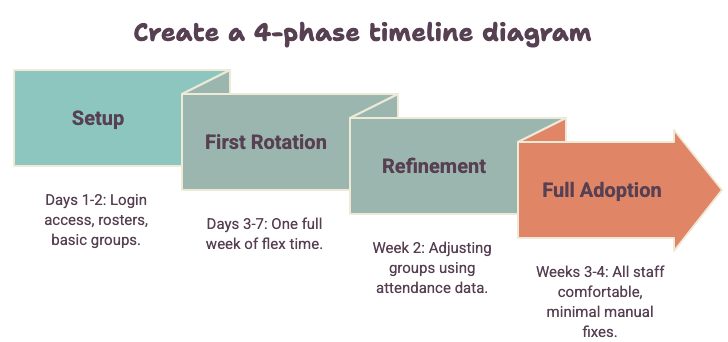
| Phase | Timeframe | What to Focus On |
|---|---|---|
| Setup | Days 1 to 2 | Login access, student rosters, basic groups |
| First Rotation | Days 3 to 7 | Running one full week of flex time |
| Refinement | Week 2 | Adjusting groups based on real attendance data |
| Full Adoption | Weeks 3 to 4 | All staff comfortable, minimal manual fixes needed |
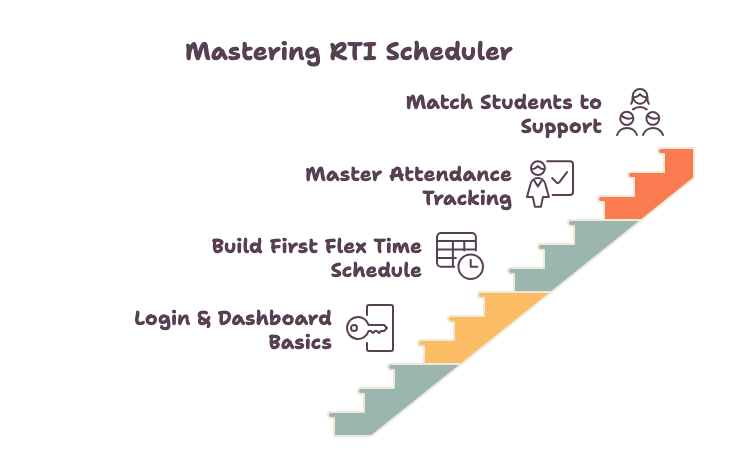
Step One: Get Comfortable With Login and Dashboard Basics
Before touching schedules or student data, spend the first day just learning where things live. Every rti scheduler login should take staff to a dashboard that shows the day’s groups, attendance status, and any alerts. If it takes more than a minute to find that information, it’s worth a quick walkthrough with whoever manages the account.
Set Up Role-Based Access Early
Not every staff member needs the same level of access. Front-load this decision. Teachers usually need to view their own groups and mark attendance, while counselors or coordinators need full scheduling control. Getting this right early prevents a wave of permission requests once the system is in daily use.
Don’t Skip the Walkthrough
It’s tempting to jump straight into building a schedule, but a 15-minute walkthrough of the platform features saves hours of confusion later. Staff who understand the layout before they need it are far less likely to abandon the tool for a spreadsheet the first time something looks unfamiliar.
Step Two: Build Your First Flex Time Schedule Without Overcomplicating It
The fastest way to master flex time scheduling is to start small. Don’t try to schedule every intervention, enrichment group, and service learning block in week one.
Start With One Grade Level or One Block
Pick a single grade level, or a single flex time block, and build that first. This gives staff a working example to reference and lets you catch layout problems, like overlapping groups or missing rooms, before they affect the whole school.
Use Existing Student Data Instead of Starting Blank
Import assessment scores, attendance history, and teacher recommendations rather than manually typing in every student’s needs. Most of this data already exists somewhere in your system. Pulling it in up front means your first schedule reflects actual student needs instead of guesses.
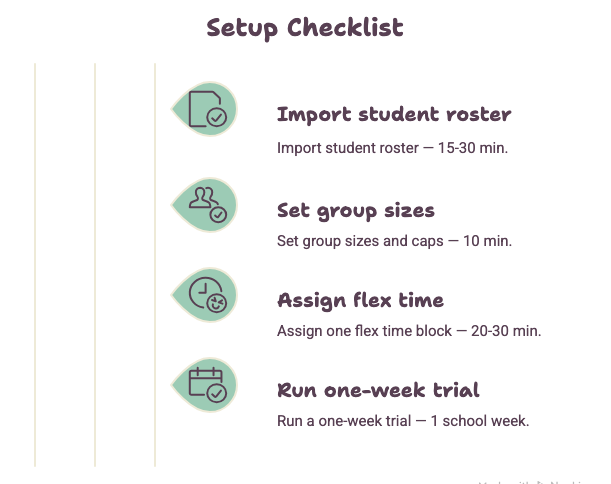
Quick Start Checklist
| Task | Why It Matters | Typical Time Needed |
|---|---|---|
| Import student roster | Avoids manual data entry errors | 15 to 30 minutes |
| Set group sizes and caps | Keeps intervention groups effective | 10 minutes |
| Assign one flex time block | Creates a working test case | 20 to 30 minutes |
| Run a one-week trial | Surfaces real scheduling conflicts | 1 school week |
Step Three: Master Attendance Tracking in the First Week
Attendance tracking is where new users often lose confidence, mostly because it feels like an extra task layered on top of everything else. Once it’s part of the daily routine, though, it takes seconds.
Mark Attendance the Same Time Every Day
Consistency matters more than speed here. Teachers who mark attendance at the same point in the flex time block, rather than whenever they remember, build the habit faster and generate more reliable progress monitoring data for the whole RTI process.
Pay Attention to Automated Alerts
A good rti scheduler app will flag missed sessions automatically. In the first week, actually read those alerts instead of dismissing them. Ongoing training matters here too. The IRIS Center at Vanderbilt University points out that schools need a clear plan for training new staff on RTI systems as they come on board, not just a one-time session for whoever was there on day one.
Step Four: Get Comfortable Matching Students to Academic Support
Once the basics are running, the next skill to master is adjusting Tier 2 intervention groups as student needs change, rather than leaving everyone in their original placement all semester.
Review Placements After the First Full Cycle
After your first complete rotation, usually one to two weeks, take 30 minutes to review whether current groups still make sense. This is also the point where enriching students who’ve already mastered a skill should get moved into enrichment groups instead of staying in a general support block.
Don’t Forget Community Service and Service Learning Options
Academic support doesn’t have to mean sitting at a desk. Community service and service learning projects can reinforce the same skills, writing, math, planning, in a different format. Scheduling these alongside traditional extra help sessions gives students more than one way to engage, which matters especially in middle schools where attention spans and interests vary widely.
Research summarized by ERIC, the federally funded education research database, describes data-based decision making as the essence of good RTI practice, which is exactly why placement reviews shouldn’t rely on memory or gut feel once real numbers are available.
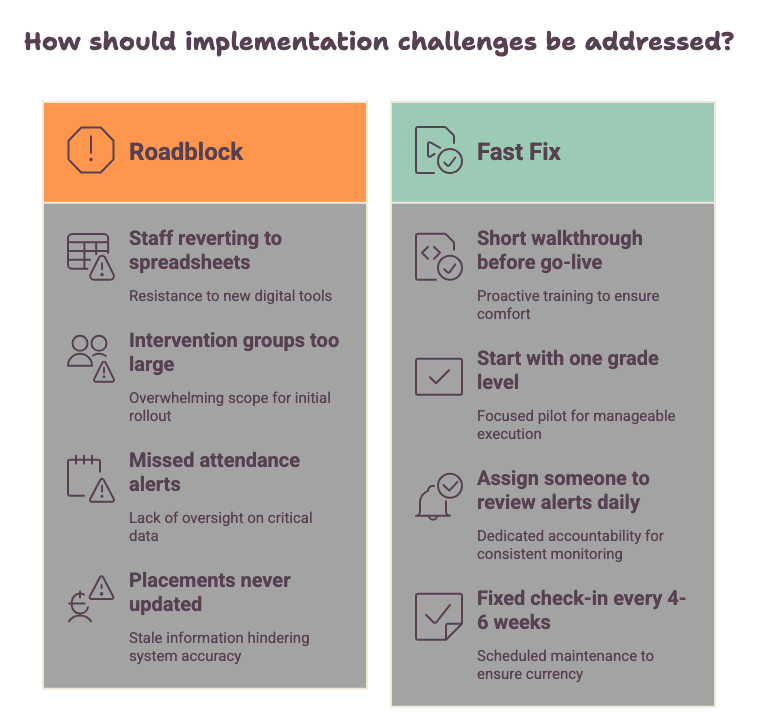
Common Roadblocks New Users Hit (and How to Skip Them)
Most schools run into the same handful of issues in their first few weeks. Knowing them ahead of time makes them much easier to avoid.
| Roadblock | Why It Happens | Fast Fix |
|---|---|---|
| Staff reverting to spreadsheets | Login or dashboard felt unfamiliar | Do a short walkthrough before go-live |
| Intervention groups too large to be effective | Trying to schedule everyone at once | Start with one grade level or block |
| Missed attendance alerts | Alerts treated as noise, not signal | Assign one person to review alerts daily |
| Placements never updated | No recurring review scheduled | Set a fixed check-in every 4 to 6 weeks |
Staffing constraints also trip up a lot of first-time rollouts. Writing in Education Week, RTI researchers from the University of Minnesota and University of South Florida argue that schools get better results by aligning intervention intensity with actual student proficiency data instead of just adding more minutes to a session, a reminder that a rushed schedule built around staffing gaps rarely holds up.
Joe Simo, principal of Centennial Middle School in Montrose, Colorado, and the state’s 2018 Principal of the Year, made a similar point in a piece for the National Association of Secondary School Principals: time and staffing were the single biggest roadblock his team faced when building out their MTSS system. Rather than launching every subject and every tier at once, Centennial started with reading only, added math the following year, then writing, and folded in behavior support years later. What began as support for 40 students grew into a program serving more than 170, but only because the school resisted the urge to build the whole thing in year one.
Tips From Schools That Mastered It Fast
The schools that get comfortable quickly aren’t necessarily the ones with the most tech-savvy staff. They just follow a few best practices that keep the rollout from feeling overwhelming. They assign one clear owner for the rollout instead of spreading responsibility across the whole staff. They run a short pilot with a single grade level before going school-wide. And they treat the first two weeks as a learning period, expecting a few adjustments rather than aiming for a perfect schedule on day one.
Here’s a typical scenario that plays out in schools that get this right: a counselor takes ownership of the rollout in week one, picks the sixth grade to pilot a single 30-minute WIN Time block, and spends the first few days just watching how attendance data flows in and where students get stuck between classrooms. By the second week, that same counselor is adjusting groups based on real numbers instead of guesses. By week three, seventh and eighth grade have joined the same schedule, and the daily manual fixes that ate up 20 or 30 minutes each morning have mostly disappeared. It’s not a dramatic transformation, but it’s the kind of steady, week-by-week progress that actually holds up once the novelty wears off.
Related Reading
If you’re still shaping your overall approach to intervention time, RTI Scheduler Tips & Best Practices covers the broader strategy behind flex time, attendance tracking, and matching students to support, useful context once you’ve got the basics of the tool itself down.
Frequently Asked Questions
How long does it take to learn an RTI scheduler? Most staff feel comfortable with day-to-day use within one to two weeks, especially if they start with a single grade level or block instead of the whole school at once. Full school-wide adoption usually takes three to four weeks.
What’s the fastest way to get staff comfortable with a new scheduler? A short walkthrough before go-live, paired with a small pilot group, works better than a full rollout with no practice run. Staff who see the dashboard once before using it under pressure adapt much faster.
Do I need to import all student data before starting? No. Start with the data you already have for one grade level or flex time block. You can add more students and refine groups as you go, rather than waiting for a complete dataset before launching.
What should I focus on first: scheduling or attendance tracking? Scheduling first, since attendance tracking only becomes useful once there are actual sessions to track. Get one flex time block running, then build the attendance habit around it.
Can service learning and community service count as academic support during flex time? Yes. Service learning and community service projects that involve writing, math, or planning can reinforce academic skills in a different format, which is especially useful for keeping middle school students engaged during extra help sessions.
Final Thoughts
Mastering an RTI scheduler quickly comes down to sequencing, not speed. Learn the login and dashboard first, build one small schedule before attempting the whole school, get attendance tracking into a daily habit, and review student placements on a regular cycle rather than leaving them static. Schools that follow this order tend to reach full, comfortable adoption in a matter of weeks rather than a full semester.
If your team is ready to move past the learning curve, take a look at the setup guides for a step-by-step walkthrough of getting your first flex time schedule up and running.