
I spent three years as an instructional coach helping a mid-size district run its Flex block, and I still remember one Sunday night spent untangling a spreadsheet with 40 tabs, one per teacher. A parent had asked for proof her son attended his reading support sessions. We had no clean answer. That gap is what pushed our team toward an RTI Scheduler.

An RTI Scheduler is a tool that helps schools plan and run intervention time. RTI stands for Response to Intervention. It is a system schools use to help students who need extra support. Many schools also call this MTSS, or Multi-Tiered System of Support.
Running this support time by hand is hard, and I learned that the hard way. Teachers use spreadsheets and paper lists. Students get missed. Sessions overlap. Records disappear right when you need them most, like during a parent meeting or a state audit. An RTI Scheduler fixes this. It puts every student in the right session, at the right time, with the right teacher.
This guide walks through what an RTI Scheduler looks like, why your school may need one, and how to set it up well, based on what worked and what did not in my own time running one.
What Does an RTI Scheduler Look Like?
Most schools set aside a block of time each day or week for extra support. This block has different names. Some call it Flex Time. Some call it WIN Time, which means “What I Need.” Others call it an Intervention Period or Enrichment Block.
An RTI Scheduler organizes this block. It shows which students go to which session. It shows if a session is open for anyone or closed to a set group. It also tracks seats. For example, a Math Support session may hold 12 students. A Robotics Club may hold 25 students. The tool tracks all of this in one place.
Why Unstructured Flex Time Wastes Learning Time
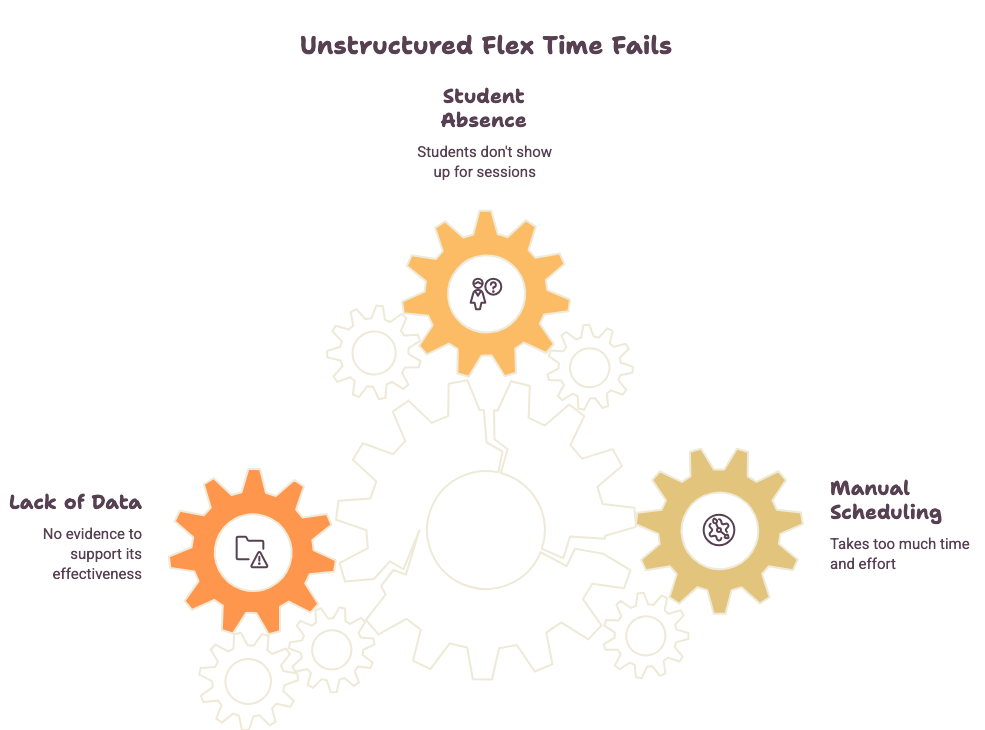
Flex time without a system often turns into free time. The students who need help the most are the ones who get missed. This creates three big problems.
Manual Scheduling Eats Hours Every Week
Sign-up sheets and spreadsheets take a long time to manage. Staff must check names by hand. They fix mistakes one at a time. This work adds up fast, week after week.
Students Go Missing During Flex Time
Without real data, staff cannot be sure that struggling students are placed where they need to be. A student who needs Tier 2 or Tier 3 support may end up in the wrong room, or no room at all.
No Data to Prove the Program Works
Schools need proof that support time helps students. Without a system, staff have no clean records for parent meetings, 504 meetings, or state reports. This makes it hard to show real progress.
Do You Really Need an RTI Scheduling Tool?
You can run RTI sessions without software, but it is slow and hard to manage well. A scheduling tool keeps staff organized and tracks data you can use later.
Student needs change often, so a scheduler makes it easy to move students as those needs shift. It also removes the need for paper hall passes, which take time and often get lost.
How to Create Customized Schedules for Your School
Every school runs its flex time differently. Some run it daily. Some run it once or twice a week. A good RTI Scheduler lets you build a schedule that fits your school, not the other way around.
You can set rules for how each session works. For example:
- Give teachers first pick of certain students
- Let students choose their own session
- Lock a session once it is full
- Target sessions by grade level, team, or subject
This flexibility means the tool adjusts to your school’s model, instead of forcing your school to change how it runs.
How to Schedule RTI Sessions and Provide Ongoing Support
Before you place a student, look at their data. Ask what kind of help they need. Do they need extra help in math? Do they need to see a school counselor? This step matters because it leads to the right placement.
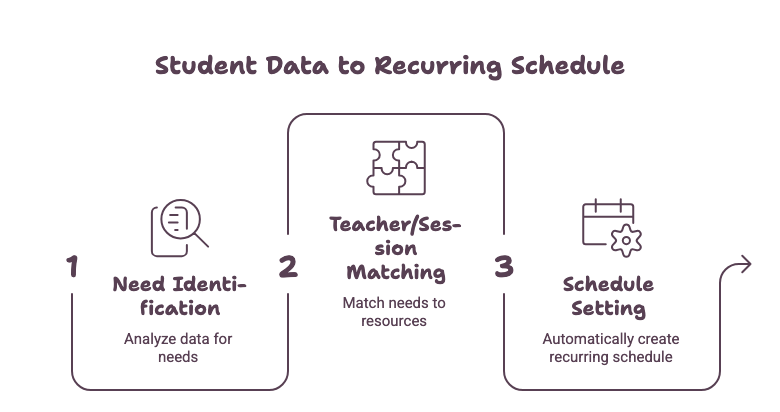
Once you know the need, place the student with the right teacher, at the right time, in the right type of session. Some students need a repeating session, like meeting a counselor every Friday for three months. The scheduler can set this up once and repeat it automatically.
Auto-Enrollment: How Data Builds Better Groups
Auto-enrollment is one of the most useful parts of an RTI Scheduler. Instead of placing every student by hand, the system uses data like grades, attendance, and behavior notes to do it for you.
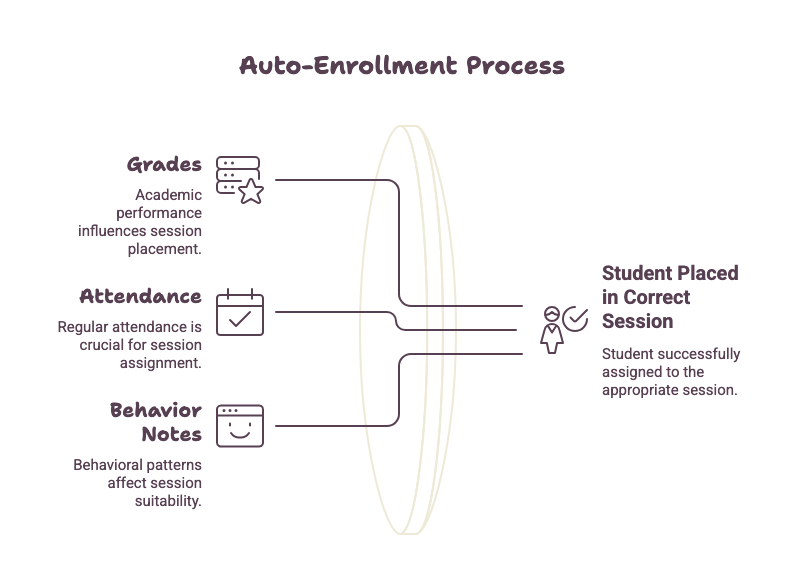
The system checks open seats and matches each student to a session that fits their need. A student struggling in Algebra can be placed with their own Algebra teacher during the support block, saving time and keeping groups accurate.
What Makes an Intervention Block Effective
A good intervention block needs planning. Staff should agree on how they decide a student needs help. They should also agree on how long a student stays in a session.
Grouping matters too. Students with similar needs should sit together, so the teacher can give the right support at the right pace. It also helps to give the block a friendly name, like WIN Time or Power Hour, instead of just “Intervention,” so students do not feel singled out.
How to Prove Your Intervention Program Works
Data is the proof that your program works. An RTI Scheduler tracks attendance for each session, plus how often a student attends and what type of session they attend most.
This data helps in real ways. Staff can walk into a parent-teacher conference with clear numbers, or show a 504 meeting team exactly what support a student received. Some states even require schools to report instructional hours, and this data makes that reporting simple instead of stressful.
Keep Every Student, Teacher, and Administrator in the Loop
A good scheduler keeps everyone informed. Teachers can see their full session list at any time. They always know which students are coming and why.
Administrators can send announcements to the whole school. For example, they can alert staff about a testing week schedule change. The system can also send automatic reminders. This keeps students and teachers on track without extra emails or phone calls.
Works With the Systems Your School Already Uses
An RTI Scheduler should not create extra work for your IT team. The best tools connect directly to your student information system, or SIS. This means no double data entry and no manual rosters to update by hand.
Many tools also offer single sign-on, or SSO. Clever is one common example. With Clever Instant Login, students and staff can log in using an account they already have. With Clever Secure Sync, student rosters update automatically. This saves time and keeps student data accurate across systems.
Built for Every Role on Campus
An RTI Scheduler should work well for everyone on campus, not just one group.
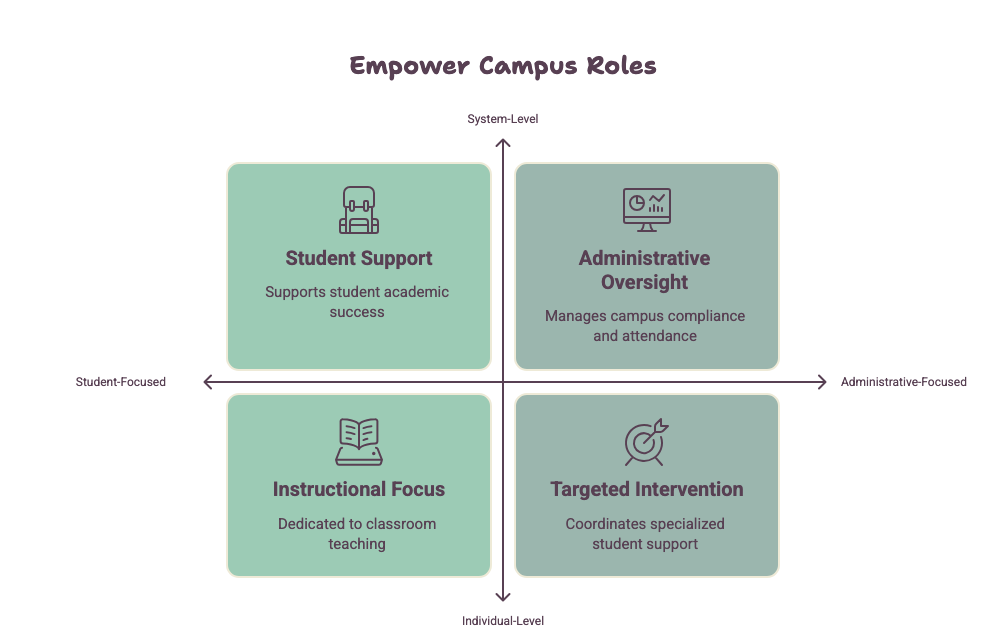
Administrators get a full view of attendance, participation, and compliance across the whole school.
MTSS coordinators can place students into Tier 2 and Tier 3 sessions and confirm that support is reaching the right students.
Teachers can focus on teaching their session, instead of chasing down students or managing sign-up sheets by hand.
Students can see exactly which session they are in and when, and in some cases, choose sessions that match their own interests.
Who Is an RTI Scheduler Built For?
An RTI Scheduler works best for public K-12 schools, mainly middle schools, junior highs, and high schools. Elementary schools rarely need one, since they usually skip a separate flex period. It fits schools of many sizes, from one mid-size campus to a full district running several secondary schools on the same system.
It is not the right fit for every school. A very small school running only one or two sessions a week may not need it yet, since a spreadsheet can still work at that scale. Schools without a student information system in place will also get less value, since much of the benefit comes from connecting rosters and logins automatically instead of by hand.
FAQs
What does RTI stand for in a scheduler? RTI stands for Response to Intervention. It is a school framework used to support students who need extra academic help.
Is an RTI Scheduler the same as an MTSS scheduler? They are closely related. MTSS is a wider framework that includes RTI along with behavior and social-emotional support. Many tools handle both under one system.
Can an RTI Scheduler help with compliance reporting? Yes. It can track attendance and instructional minutes, which schools often need for parent meetings, 504 meetings, and state reports.
Does an RTI Scheduler replace teacher judgment? No. It uses data to support decisions, but teachers and staff still decide what each student needs.
How long does it take to set up an RTI Scheduler? Most schools start with a short pilot using one grade level. This lets staff test the rules and fix small issues before rolling it out to the full school.
Final Thoughts
After running an RTI Scheduler for two full school years, the biggest change was not the software itself. It was the confidence it gave our staff. Teachers stopped guessing who needed to be where. Coordinators stopped digging through email threads before every 504 meeting. When the district office asked for instructional-hour reports, we pulled the numbers in minutes instead of days.
An RTI Scheduler turns a messy flex period into an organized, useful part of the school day. It saves staff time, keeps struggling students from falling through the cracks, and gives schools clear data to prove their program works. If your school still runs this block on spreadsheets and sign-up sheets, start small. Pilot it with one grade level and build from there.